What Makes the Best Auto Repair Software for a Modern Shop?
The best auto repair software should help the front desk move faster, give technicians cleaner task visibility, and keep costs, invoices, and approvals connected.
This checklist is written by the Autogapp team, not an independent ranking. Use the same sample repair and the same staff roles when evaluating each system. Record what you can actually complete during a trial, including any steps that still need a spreadsheet or a second application.
Start with Autogapp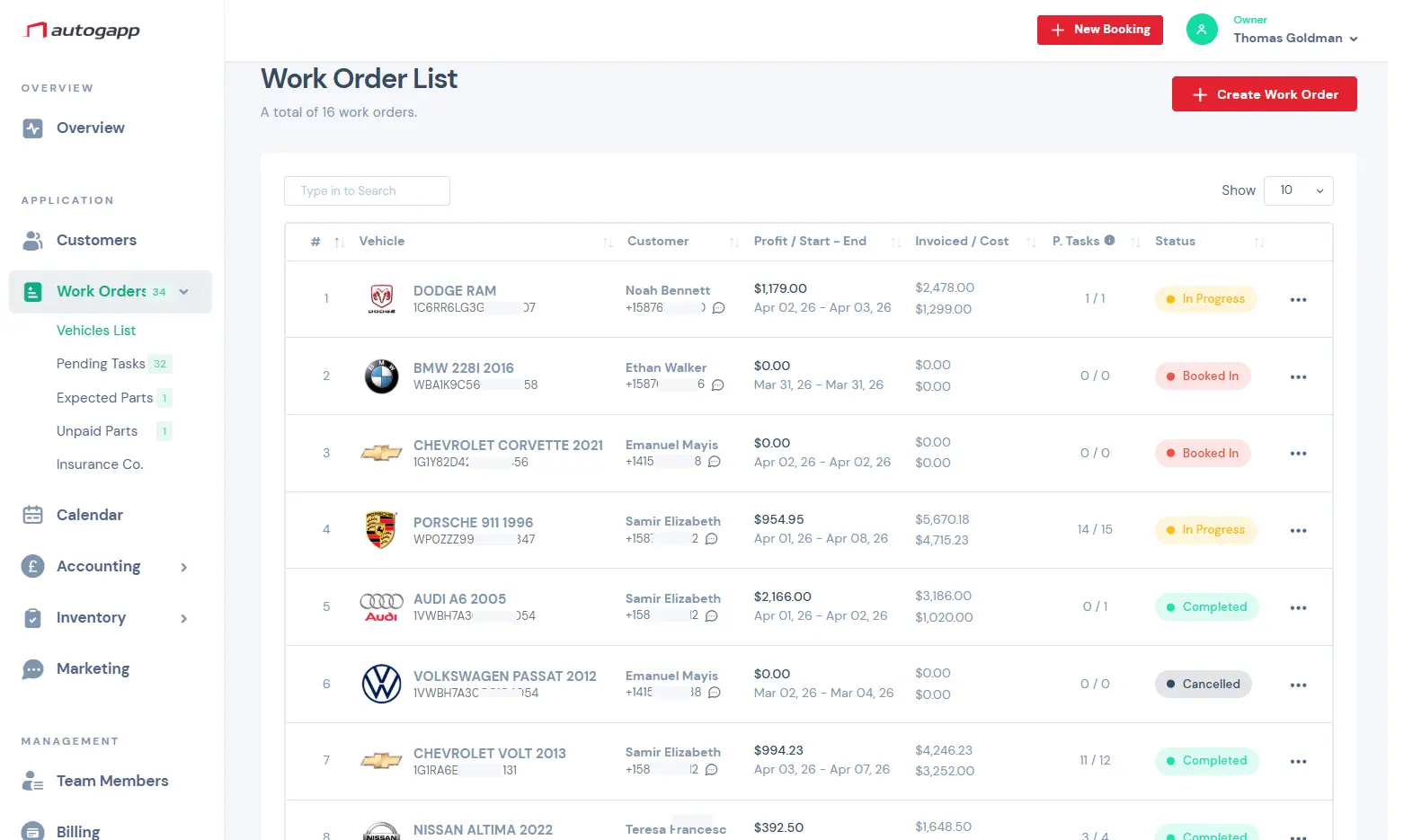
Why repair shops choose Autogapp
Autogapp keeps the day organized without making the team fight the software.
Best software reduces handoff friction
The biggest productivity gains come when bookings, tasks, job cards, parts, estimates, invoices, and payment history all connect without double entry.
Best software supports both desk and bay
Service advisors need speed while technicians need clarity. A strong system supports both sides of the business instead of optimizing only invoicing or only calendar view.
Best software should scale with the shop
As more staff, vehicles, and repair volume enter the system, the platform should stay understandable and permission-aware rather than becoming harder to manage.
Core tools for daily service work
Focused tools for the real workflow inside a repair shop.
- Unified repair workflow
- Role-aware permissions
- Staff timeline scheduling
- Digital job card approvals
- Parts-to-invoice import
- Payment history
- Operational dashboard
- Cloud access
A repeatable test for your next software demo
Choose a fictional customer and vehicle. Run one job from booking to payment without using real customer information. Give each step a score: 0 for unavailable, 1 for a manual workaround, or 2 for a completed workflow.
| Workflow | Test to perform | Evidence to keep |
|---|---|---|
| Intake | Create a customer, vehicle and appointment. Then find the record by registration or customer name. | Search time and fields you had to enter twice. |
| Workshop handoff | Assign work to a technician and open it using that role. | Whether the technician sees the job but not unrelated financial data. |
| Scope change | Add a finding to the job card and record the revised scope before continuing. | Where the approval and revision are stored. |
| Parts and billing | Add a part and labor line, then prepare the invoice. | Whether quantities, prices and descriptions survive the handoff. |
| Payment and history | Record a payment and reopen the same vehicle record. | Outstanding balance and the completed repair history. |
| Leaving the system | Ask for a sample data export and written retention terms. | Which records and attachments can be exported, and in what format. |
Before subscribing, confirm current plan limits, staff access, billing currency, taxes, payment-provider fees and any integrations your shop requires. A high score does not replace checking a must-have workflow.
PricingCommon questions
Popular software pages
- Garage Management Software for Modern Auto Repair Shops
- Auto Repair Shop Management Software for Daily Operations
- Auto Repair CRM Software for Customer History, Vehicles, and Follow-Up
- Auto Shop Scheduling Software with Staff Timeline View
- Auto Repair Estimate Software for Faster Quotes and Cleaner Approvals
- Auto Repair Invoicing Software for Estimates, Invoices, and Payments
- Garage Inventory Management Software for Parts and Suppliers
- Auto Repair Shop Management Software Canada | Autogapp